Look for the opponent first
Before acting, identify the opponent and anything between you. Your objective is an effective collision, so a visually impressive flip is not necessarily a useful move.
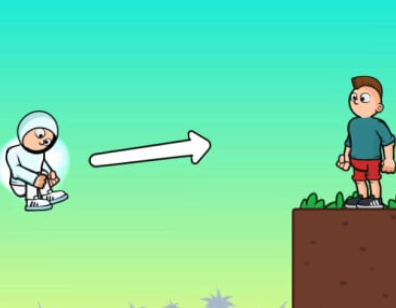 Flip BrosFree to play · No download
Having trouble loading? Open on the provider ↗
Try an action-focused twist on the flip formula. Use jumps and rotation to tackle the obstacles ahead; the in-game prompts explain each new challenge.
THE OBJECTIVE
Use your character’s movement to knock opponents over while navigating the obstacles.
Control reference: Flip Bros provider. Start with a desktop mouse; mobile compatibility depends on the hosted version.
Before acting, identify the opponent and anything between you. Your objective is an effective collision, so a visually impressive flip is not necessarily a useful move.
The provider lists mouse interaction. Follow the opening prompts for jumping and rotation, then watch where your character travels after each input.
If you hit an obstacle, change the approach. If you pass the opponent, focus on the timing that sends you toward them. Those are different problems.
MAKE EACH TRY USEFUL
Flip Bros puts collisions and opponents at the centre of the challenge. For jumps where the landing zone itself is the goal, try Backflip Maniac.
Pick an obstacle edge or a platform corner as a visual cue. Compare the character’s position with that cue on consecutive attempts.
Do not practise a feet-first landing out of habit. This game rewards using momentum against an opponent; the useful outcome differs from a precision landing game.
Press Play to connect to the external provider. It may display its own notices or ads before the game. Use Theater for more space; Reload restarts the player and may lose the current run.
If the frame is blank, follow our loading and input checks or open the provider using the link below the player.
PLAY WITH A PLAN
Learn the Wacky Flip hold-and-release sequence, diagnose missed landings, and use a five-attempt practice routine.
Troubleshoot a blank Wacky Flip player, stalled loading, missing input, and fullscreen issues without losing track of the cause.
A clear Wacky Flip controls guide to the hold-and-release sequence, with practice cues for the jump, rotation, and landing.
Learn how Wacky Flip challenge progression works, what to watch when a new jump changes, and how to approach later levels.
Practical Wacky Flip tips for choosing a rotation, reading airtime, improving landing consistency, and learning from a failed attempt.
KEEP THE GOOD TIMES FLIPPING