





Charge the jump
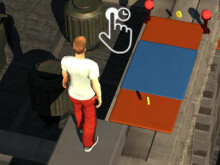
Press and hold to prepare. Learn what a short hold does before pushing for more height.
 Wacky FlipFree to play · No download
Having trouble loading? Open on the provider ↗
Play Wacky Flip free online. Charge your jump, time your backflip, and stick the landing in this 3D ragdoll physics game. No download needed.
KEEP PLAYING
ABOUT WACKY FLIP
Wacky Flip turns a simple backflip into a timing challenge. You control the jump and rotation, while ragdoll physics makes the outcome unpredictable. A successful attempt comes down to leaving enough time to straighten out before touching down.
This arcade puts the game first. Play here, learn the rhythm below, or try a different take on flipping in the collection. Each game loads from its own provider when you choose to play.
HOW TO PLAY WACKY FLIP
Use your mouse or touch input. The timing matters more than the number of flips.
Press and hold to prepare. Learn what a short hold does before pushing for more height.
Release to jump. Watch the character’s position, not just the destination.
Hold again in the air to rotate. Start with a single controlled flip.
Release to stop tucking and prepare to land. Leave yourself time to straighten up.
MAKE THE NEXT TRY COUNT
A useful practice routine: change one thing, watch the result, repeat.
Repeat a similar launch, then adjust when you release the flip. Changing both makes a miss harder to understand.
Pay attention as your feet come back around. The landing decision happens before you reach the ground.
Get comfortable finishing one rotation before attempting another. Extra airtime is useful only if you can land.
After several misses, take a short break. Return to a simple jump and rebuild a repeatable timing cue.
A FEW QUICK ANSWERS
Press and hold to prepare a jump, release to take off, then hold again to rotate. Let go in time to line up your landing. Start with the game’s tutorial and use its prompts as your guide.
Yes. Select Play Wacky Flip to load the browser game. No account or download is required by this collection. The external game provider may display ads or its own notices.
You can try the touch controls in a modern mobile browser. Rotate your device if you need more room. Performance and touch support depend on the embedded game and your device.
The game is loaded from an external provider. Wait for the initial download, try Reload, or use Open on the provider. Network restrictions, privacy settings, or provider downtime can prevent an embed from working.
No. This is an independent collection of games from external hosts. Each game belongs to its respective creator; the About & sources page lists the embedded providers.
PLAY WITH A PLAN
Learn the Wacky Flip hold-and-release sequence, diagnose missed landings, and use a five-attempt practice routine.
Troubleshoot a blank Wacky Flip player, stalled loading, missing input, and fullscreen issues without losing track of the cause.
A clear Wacky Flip controls guide to the hold-and-release sequence, with practice cues for the jump, rotation, and landing.
Learn how Wacky Flip challenge progression works, what to watch when a new jump changes, and how to approach later levels.
Practical Wacky Flip tips for choosing a rotation, reading airtime, improving landing consistency, and learning from a failed attempt.